

Introduction
The shift to remote education has transformed how students engage with their studies. Whether you’re a parent helping your child transition to virtual classrooms or a student preparing for online courses, understanding the essentials makes all the difference. This comprehensive guide answers the crucial question many families ask: what do I need to start online learning?
Remote education isn’t just about logging into a video call. It requires proper preparation, the right tools, and a supportive environment. Let’s explore everything you need for a successful virtual learning experience.
Essential Technology and Equipment
Computer or Tablet Requirements
Your primary device forms the foundation of virtual education. A laptop or desktop computer works best for most students, offering larger screens and better multitasking capabilities. Tablets can work for younger learners, though they may limit certain activities.
Look for devices with at least 4GB of RAM and a processor that can handle video calls smoothly. The device should run current operating systems—Windows 10 or 11, macOS, or recent versions of iOS and Android for tablets.
Screen size matters more than you might think. Smaller screens can strain eyes during long study sessions. A 13-inch display or larger provides comfortable viewing for extended periods.
Reliable Internet Connection
Internet connectivity ranks among the most critical components. Video lessons, interactive platforms, and real-time collaboration all demand stable connections. Aim for minimum speeds of 25 Mbps download and 3 Mbps upload for smooth video conferencing.
Wired ethernet connections offer more stability than WiFi when possible. If using wireless internet, position the router near the study area or consider a WiFi extender for better signal strength.
Test your connection before classes begin. Many free speed test tools can verify whether your internet meets requirements for virtual classrooms.
Audio and Visual Equipment
Clear communication drives effective remote instruction. A quality headset with a built-in microphone reduces background noise and helps students focus. Over-ear headphones often provide better sound quality than earbuds. With the help of advanced
Webcams come built into most laptops, but external cameras offer superior video quality. Position cameras at eye level to create natural interaction during lessons. Good lighting—preferably natural light from windows or a desk lamp—ensures visibility during video sessions. With advanced tools and technology, student can communicate effectively with your teacher.
Software and Platform Essentials
Video Conferencing Tools
Zoom, Google Meet, and Microsoft Teams dominate the virtual classroom landscape. Familiarize yourself with whichever platform your educator uses. Download applications in advance rather than relying on browser versions, which sometimes offer limited functionality.
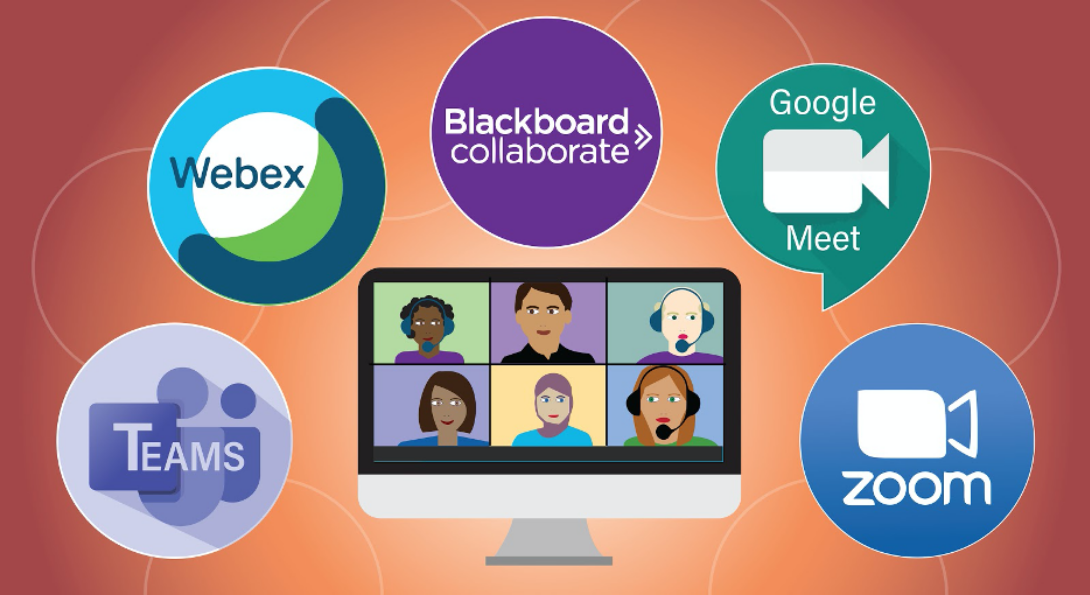
Learn basic features before the first session: muting and unmuting, screen sharing, chat functions, and virtual hand-raising. These simple tools facilitate smooth participation.
Learning Management Systems
Schools and tutoring services use meeting softwares like Google Classroom, Canvas, or Moodle to organize coursework. These systems house assignments, grades, resources, and communication tools in one central location.
Bookmark your learning portal and check it daily. Most platforms send notifications for new assignments or announcements, but proactive checking prevents missed deadlines.
Educational Applications
Subject-specific applications enhance learning beyond basic video calls. Math students benefit from digital graphing calculators, geometry tools, and equation editors. Language learners use translation apps and pronunciation guides.
At Math Make Smart, our tutors integrate specialized mathematical software during sessions, helping students visualize complex concepts through interactive demonstrations. These tools transform abstract ideas into concrete understanding.
Note-Taking and Organization Tools
Digital notebooks like OneNote, Notion, or Evernote help students organize materials across subjects. Cloud storage through Google Drive, Dropbox, or iCloud ensures access to files from any device.
Create separate folders for each subject. Consistent file naming conventions—like “Math_Chapter5_Notes”—make retrieval easier when studying for assessments.
Creating Your Learning Space
Dedicated Study Area
Physical environment significantly impacts concentration and productivity. Designate a specific area exclusively for learning activities. This separation helps the brain associate that space with focused work.
Choose quiet locations away from high-traffic areas. Corner desks in bedrooms or home offices work well. Avoid beds or couches, which signal relaxation rather than study mode.
Ergonomic Setup
Proper posture prevents discomfort during extended study sessions. Position monitors at arm’s length, with the top of the screen at or slightly below eye level. Chairs should support the lower back, with feet flat on the floor.
Adjust lighting to minimize screen glare. Position desks perpendicular to windows when possible, or use curtains to control natural light.
Minimizing Distractions
Remove non-essential items from the study area. Silence phone notifications during class time. Use website blockers if social media proves tempting during independent work.
Inform family members about class schedules to reduce interruptions. A simple “in session” sign on the door communicates availability without constant reminders.
Academic Materials and Resources
Digital Textbooks and Materials
Many courses now use electronic textbooks, which offer search functions and interactive elements. Download required materials before courses begin. Some platforms allow offline access, useful if internet connectivity becomes unreliable.
Keep track of login credentials for different platforms. A password manager securely stores this information in one accessible location.
Writing and Presentation Tools
Word processing software remains essential for assignments. Google Docs offers real-time collaboration features, while Microsoft Word provides robust formatting options. Presentation software like PowerPoint or Google Slides supports project requirements.
Learn keyboard shortcuts for common functions. These small efficiencies add up over weeks and months of coursework.
Reference Materials
Bookmark reliable reference websites appropriate for your grade level. Dictionary and thesaurus tools, encyclopedia resources, and subject-specific databases support research and homework.
Many libraries offer free access to premium educational databases through library cards. Explore these resources—they often surpass free internet searches in quality and reliability.
Time Management Tools
Digital Calendars
Google Calendar, Apple Calendar, or Outlook helps track class schedules, assignment due dates, and study sessions. Color-coding different subjects creates visual organization at a glance.

Set reminders for upcoming deadlines. A notification two days before an assignment is due provides buffer time for completion without last-minute stress.
Task Management Applications
Apps like Todoist, Trello, or simple checklists break large projects into manageable steps. Crossing off completed tasks provides motivation and progress tracking.
Review your task list each morning. Prioritize items by urgency and importance rather than tackling them randomly.
Study Timers
The Pomodoro Technique—25 minutes of focused work followed by 5-minute breaks—maintains concentration without burnout. Digital timers or apps designed for this method keep sessions structured.
Longer study blocks work better for some learners. Experiment to find your optimal focus period, then build breaks around that rhythm.
Support Systems and Communication
Parent-Teacher Communication
Regular contact with instructors keeps parents informed about progress and challenges. Most virtual platforms include messaging features for quick questions between formal meetings.
Schedule periodic check-ins even when everything seems fine. Proactive communication catches small issues before they become significant obstacles.
Peer Connections
Virtual study groups combat isolation while reinforcing learning. Video calls with classmates for homework collaboration maintain social connections alongside academic benefits.
Establish ground rules for group sessions—specific start times, agenda topics, and expected participation keeps gatherings productive rather than purely social.
Professional Tutoring Support
Personalized instruction addresses individual learning gaps that group settings might miss. Qualified tutors adapt explanations to match student understanding levels and learning preferences.
Math Make Smart connects students with experienced mathematics educators across multiple countries. Our tutors specialize in making complex concepts accessible through patient, tailored instruction. Whether your child struggles with algebra fundamentals or needs advanced calculus support, individualized attention builds confidence alongside competence.
Health and Wellness Considerations
Screen Time Management
Extended computer use can strain eyes and affect sleep patterns. Follow the 20-20-20 rule: every 20 minutes, look at something 20 feet away for 20 seconds. This simple practice reduces eye fatigue significantly.
Blue light filters on devices or specialized glasses minimize disruption to natural sleep cycles. Enable these features, especially for evening study sessions.
Physical Activity Breaks
Movement between study blocks improves focus and overall well-being. Simple stretches, brief walks, or quick exercise routines refresh the mind and body.
Schedule physical activity just as deliberately as study time. Consistent movement throughout the day maintains energy levels and concentration capacity.
Healthy Routines
Maintain regular sleep schedules even without physical school commutes. Adequate rest directly correlates with learning retention and academic performance.
Balanced nutrition and hydration support cognitive function. Keep water nearby during study sessions, and plan nutritious snacks rather than relying on processed foods.
Troubleshooting Common Challenges
Technical Difficulties
Technology fails occasionally despite best preparations. Keep instructor contact information accessible outside the learning platform. Email or phone numbers allow communication when systems go down.
Familiarize yourself with basic troubleshooting: restarting devices, checking internet connections, updating software. These simple steps resolve many common issues quickly.
Motivation and Engagement
Remote learning requires more self-discipline than traditional classrooms. Set specific goals for each study session. Small, achievable targets maintain momentum better than vague intentions.
Reward system completion. After finishing a challenging assignment or acing a quiz, allow time for enjoyable activities. Positive reinforcement builds sustainable study habits.
Communication Barriers
Digital communication lacks some nuance of face-to-face interaction. Encourage students to ask questions freely, even if answers seem obvious. Clarification prevents misunderstandings that compound over time.
Use video whenever possible rather than audio-only calls. Visual cues aid comprehension and maintain engagement more effectively than disembodied voices.
Preparing for Your First Session
Pre-Class Checklist
Test all technology the day before starting. Join practice sessions if offered. Confirm you can access required platforms and materials without obstacles.
Prepare questions in advance. Write them down so nervousness doesn’t cause you to forget during live sessions.
Setting Expectations
Discuss virtual learning expectations with your family. Establish boundaries around class time, study periods, and break intervals. Clear communication prevents conflicts and supports consistency.
Understand that adjustment takes time. Initial sessions might feel awkward or challenging. Persistence through early difficulties leads to comfort and confidence within weeks.
Building Positive Mindset
Approach remote education with optimism and curiosity. This learning format offers unique advantages: flexible scheduling, comfortable environments, and often more individualized attention than crowded classrooms provide.
View challenges as learning opportunities rather than insurmountable obstacles. Growth happens outside comfort zones, and virtual learning certainly qualifies as new territory for most students.
Maximizing Your Online Learning Success
Active Participation
Engagement drives retention far more effectively than passive observation. Take notes during lessons, even when materials are recorded for later review. The physical act of writing reinforces memory formation.
Contribute to discussions regularly. Thoughtful participation demonstrates commitment and helps instructors gauge understanding across their student groups.

Consistent Schedule
Regularity creates productive habits. Study at the same times daily when possible. Your brain begins associating those hours with focused work, making concentration easier over time.
Track your most alert periods. Some learners focus best in early morning, others during afternoon or evening. Schedule demanding subjects during peak performance windows.
Continuous Improvement
Reflect on what works and what doesn’t. Adjust strategies based on results rather than stubbornly maintaining ineffective approaches. Flexibility leads to optimization.
Seek feedback actively. Ask instructors for specific improvement suggestions rather than waiting for formal evaluations. Proactive learners accelerate their progress significantly.
Conclusion
Starting online learning successfully requires thoughtful preparation across technology, environment, and mindset dimensions. The essentials aren’t complicated—reliable devices, stable internet, organized space, and supportive resources form your foundation.
Remember that I need to start online learning with the right tools, but also with patience and persistence. Initial challenges fade as familiarity grows. Virtual education offers remarkable opportunities for personalized learning and flexible scheduling that traditional settings cannot match.
Math Make Smart stands ready to support your mathematical journey through expert online tutoring with e learning platform. Our qualified instructors across the USA, UK, Canada, Australia, Ireland, and New Zealand bring subject mastery and genuine care for student success to every session. Whether you need help catching up, keeping pace, or advancing beyond current coursework, personalized instruction makes the difference.
Invest time in proper setup now, and you’ll reap benefits throughout your entire remote learning experience. The digital classroom awaits—step in prepared, confident, and ready to excel.